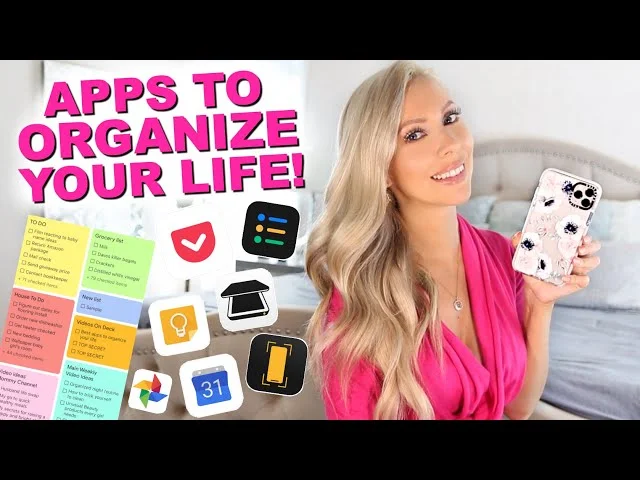
Between work deadlines, personal errands, family responsibilities, and the constant stream of notifications, staying organized has become one of the hardest parts of modern life — not because people lack discipline, but because everything lives in different places. A work task sits in email, a personal reminder sits in your head, and a family plan sits in a group chat that’s impossible to scroll back through.
The right combination of apps doesn’t just remind you of things — it brings your work and personal life into a system you can actually trust, so nothing important slips through the cracks. This guide breaks down the best types of apps for organizing both sides of your life, along with a simple approach to using them without creating more clutter than they solve.
Why Most People Struggle to Stay Organized
Before jumping into app categories, it helps to understand the actual problem. Most disorganization isn’t a motivation issue — it’s a system issue. When tasks, notes, appointments, and reminders are scattered across sticky notes, texts, emails, and memory, it takes real mental effort just to keep track of where everything is, let alone actually get it done.
Organizing apps solve this by giving every type of information — tasks, schedules, notes, finances — one consistent, searchable home. The goal isn’t to use every app available; it’s to build a small, reliable system that covers your actual needs.
1. Task and To-Do List Apps
A dedicated task manager is the foundation of staying organized, whether it’s for work projects or personal errands.
What to look for:
- Simple task creation without unnecessary steps
- Due dates, reminders, and priority levels
- Support for recurring tasks (like weekly bills or daily routines)
- Ability to separate work and personal task lists
Todoist, Microsoft To Do, and TickTick are widely used for this, offering clean interfaces that make adding and checking off tasks quick enough to actually stick with daily.
Why it matters: Writing tasks down in one trusted place — instead of relying on memory — frees up mental energy for actual work instead of constantly trying to remember what needs doing.
2. Calendar and Scheduling Apps
A calendar app keeps your time organized across both professional and personal commitments, ideally in one connected view rather than two separate systems.
What to look for:
- Support for multiple calendars (work, personal, shared/family) viewable together
- Reminders and notifications before events
- Easy rescheduling and recurring event support
- Integration with task apps or email
Google Calendar remains the most widely used option because of its cross-platform support and easy sharing features, while apps like Calendly help simplify scheduling meetings with others without back-and-forth messaging.
Why it matters: Keeping work and personal events in one visible calendar (even as separate color-coded calendars) prevents the classic mistake of double-booking a personal commitment over a work meeting, or vice versa.
3. Note-Taking Apps
Notes apps capture everything that doesn’t fit neatly into a task or event — ideas, meeting notes, shopping lists, or random thoughts you don’t want to lose.
What to look for:
- Fast note creation with minimal friction
- Support for checklists, images, and voice notes
- Search functionality for finding old notes quickly
- Sync across phone, tablet, and computer
Google Keep works well for quick, simple notes, while Notion and Evernote suit more detailed, structured note-taking — useful for people who want to organize notes into categories or link them to ongoing projects.
Why it matters: A single reliable notes app prevents important information from being scattered across texts, screenshots, and sticky notes.
4. Budgeting and Finance Apps
Organizing your personal life isn’t only about time — it’s also about money. Budgeting apps bring clarity to spending habits and financial goals.
What to look for:
- Automatic transaction tracking (if linking bank accounts)
- Clear spending categories and monthly summaries
- Bill reminders to avoid late payments
- Savings goal tracking
YNAB (You Need a Budget) and Mint-style budgeting apps are commonly used for this, helping users see exactly where money goes each month instead of guessing.
Why it matters: Financial disorganization causes as much daily stress as a messy schedule — a clear budgeting system reduces that mental load significantly.
5. Cloud Storage and File Organization Apps
Both work documents and personal files (IDs, receipts, certificates) need a reliable, organized home that’s accessible from any device.
What to look for:
- Enough storage for your actual needs
- Folder organization and easy search
- Secure sharing options for sending files without email attachments
- Automatic sync across devices
Google Drive, Dropbox, and OneDrive all serve this purpose well, letting you separate work folders from personal ones while keeping everything backed up and accessible.
Why it matters: A single, organized cloud storage system prevents the common problem of important documents being scattered across email attachments, screenshots, and downloads folders.
6. Habit and Routine Tracker Apps
Beyond one-time tasks, many parts of an organized life are about consistency — exercise, water intake, reading, or a daily routine.
What to look for:
- Simple daily check-ins rather than complicated setup
- Visual streaks or progress tracking for motivation
- Reminders at consistent times
Habitica and Streaks are popular choices, turning habit-building into a simple daily checklist rather than something you have to remember on your own.
Why it matters: Habit trackers shift focus from remembering to do something, to simply maintaining a streak you’ve already started — which tends to be far more sustainable.
7. Family and Shared Organization Apps
When responsibilities extend beyond just you — shared errands, kids’ schedules, household tasks — a shared organizational system prevents things from falling through the cracks.
What to look for:
- Shared calendars and to-do lists accessible to multiple people
- Notifications when a shared task is completed
- Simple interface usable by every family member, regardless of tech comfort
Google Family Calendar and apps like Cozi are built specifically for this, combining shared calendars, grocery lists, and reminders in one place everyone in a household can access.
Why it matters: Shared apps remove the reliance on one person (usually a parent or partner) mentally tracking everything for the entire household.
8. All-in-One Productivity Apps
Rather than juggling separate apps for tasks, notes, and calendars, some tools combine all three into a single connected workspace.
What to look for:
- Ability to link tasks, notes, and calendar events together
- Customizable views (list, board, calendar) depending on preference
- Cross-device sync
Notion and ClickUp are commonly used for this, especially by people who want work projects and personal planning inside one connected system rather than switching between multiple apps.
Why it matters: An all-in-one system reduces app-switching, though it requires a bit more setup time upfront compared to simpler, single-purpose apps.
How to Build a System Without Overcomplicating It
The biggest mistake people make when trying to get organized is downloading five apps at once and abandoning all of them within a week. A simpler approach works better:
- Start with just two apps — one for tasks, one for calendar. These cover the majority of daily organization needs.
- Add a notes app once the first two become a habit, for anything that doesn’t fit a task or event.
- Separate work and personal within the same app using labels, colors, or folders, rather than maintaining entirely separate systems that are hard to check together.
- Review your system weekly. A quick Sunday review of tasks and calendar for the week ahead keeps the system from becoming outdated clutter.
- Only add specialized apps (budgeting, habits, family) once your core system is working consistently.
Common Mistakes That Undermine Organization Apps
- Using too many apps at once, which creates more mental overhead than the disorganization it was meant to fix.
- Setting up a complex system and abandoning it after a few days because it takes too much daily effort to maintain.
- Not separating urgent tasks from someday tasks, which makes to-do lists feel overwhelming instead of useful.
- Ignoring notifications until they become background noise, defeating the purpose of reminders altogether.
Frequently Asked Questions
Should I use separate apps for work and personal organization, or one combined app? Either works, but a single app with clear separation (labels, colors, or folders) tends to be easier to maintain long-term than switching between two completely separate systems throughout the day.
What’s the simplest way to start getting organized without feeling overwhelmed? Start with just a task app and a calendar app. Once checking both becomes a daily habit, gradually add a notes app or specialized tools like budgeting or habit trackers.
Are free versions of these apps enough, or do I need to pay? Free versions of most task, calendar, and note apps cover the needs of most individual users. Paid tiers usually add advanced features like deeper integrations, more storage, or team collaboration tools.
How do I keep a shared family calendar from becoming cluttered? Use color-coding per family member and keep entries brief — detailed notes can go in a separate notes app rather than cluttering the calendar view itself.
Final Thoughts
Staying organized across work and personal life isn’t about using the most apps — it’s about building a small, consistent system you’ll actually stick with. Start simple with a task manager and calendar, add a notes app once that habit sticks, and only bring in specialized tools like budgeting or family organizers once your core system is working reliably. The right apps don’t just store information — they give your day one clear, trustworthy place to check, instead of a dozen scattered ones.