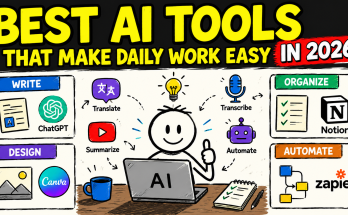
Artificial intelligence is no longer limited to technology companies, programmers, or professional designers. Today, anyone can use free AI tools to write emails, summarize documents, generate ideas, translate text, create graphics, organize tasks, and solve everyday problems.
The challenge is not finding an AI tool. The real challenge is choosing a reliable tool and using it responsibly.
Some AI platforms offer powerful features for free, but they may have daily usage limits, restricted access to advanced models, or premium features that require payment. AI-generated information can also contain mistakes, so important results should always be checked before they are used.
This guide covers some of the best free AI tools for everyday tasks, explains what each tool is useful for, and shows how to protect your privacy while using AI.
What Are Free AI Tools?
Free AI tools are websites, mobile applications, browser extensions, or software programs that use artificial intelligence to help users complete specific tasks without requiring an immediate paid subscription.
Depending on the platform, a free AI tool may help you:
- Write and improve text
- Summarize long information
- Translate content
- Generate images and graphics
- Brainstorm ideas
- Plan meals, trips, or schedules
- Check spelling and grammar
- Explain difficult topics
- Create presentations
- Organize daily tasks
Most free plans have limitations. These may include a limited number of prompts, reduced generation speed, fewer templates, restricted export options, or limited access to advanced AI models.
For casual personal use, however, free plans are often enough to complete many common tasks.
Are Free AI Tools Safe?
Free AI tools can be used safely, but no online platform should be treated as completely risk-free.
Your safety depends on the tool you choose, the information you provide, and how you use the generated results. A well-known AI platform may still produce inaccurate information, while a suspicious website may collect unnecessary personal data or attempt to install unsafe files.
Follow these basic rules whenever you use an AI tool:
- Use the official website or verified mobile application.
- Never enter passwords, banking details, private identification numbers, or confidential business information.
- Check important facts using reliable sources.
- Review AI-generated text before publishing or sending it.
- Read the platform’s privacy policy and account settings.
- Avoid uploading private documents unless it is necessary.
- Do not assume that AI-generated content is automatically copyright-free or legally safe.
- Keep your browser, operating system, and security software updated.
AI should support your decisions rather than replace your judgment.
Best Free AI Tools for Everyday Tasks
1. ChatGPT
ChatGPT is a general-purpose AI assistant that can help with writing, brainstorming, learning, planning, coding, summarization, and problem-solving.
OpenAI provides a free ChatGPT plan with access to chat features and selected tools, although usage limits and available capabilities may differ from paid plans.
Useful everyday tasks
You can use ChatGPT to:
- Draft professional emails
- Rewrite difficult paragraphs
- Create shopping or packing lists
- Explain complicated topics in simple language
- Generate meal ideas from available ingredients
- Prepare study questions
- Create social media captions
- Organize project notes
- Brainstorm names for a business or product
- Troubleshoot basic technical problems
Example prompt
Create a simple weekly meal plan for two people using affordable ingredients. Include breakfast, lunch, and dinner.
How to use ChatGPT safely
Do not paste private client information, login credentials, medical records, unpublished contracts, or confidential workplace documents into a normal conversation.
Treat factual answers as a starting point. Verify medical, financial, legal, academic, and safety-related information with an appropriate professional or authoritative source.
2. Google Gemini
Google Gemini is an AI assistant designed for tasks such as brainstorming, writing, learning, planning, image-related assistance, and answering general questions.
Google currently provides an everyday Gemini option at no monthly cost with a Google Account. The exact models, features, and usage allowances can vary by location and may change over time.
Useful everyday tasks
Gemini can help you:
- Generate ideas for presentations
- Simplify complex information
- Prepare questions for an interview
- Draft messages and notes
- Create study plans
- Brainstorm activities for an event
- Understand information from uploaded content
- Plan personal projects
Gemini may also work with certain Google services when the user chooses to connect them. Users should review permissions carefully before enabling integrations.
Example prompt
Turn these rough notes into a clear five-point presentation outline for beginners.
How to use Gemini safely
Only connect Google services that you genuinely need. Review what information the tool can access, and disconnect unnecessary services through your account settings.
Avoid uploading personal photographs, private documents, or sensitive workplace files without understanding how the content may be processed.
3. Claude
Claude is an AI assistant developed by Anthropic. It can be useful for writing, analyzing text, summarizing information, brainstorming, and working through detailed questions.
Anthropic offers a free Claude plan intended for occasional use, with limited usage compared with its paid plans. Availability may depend on the user’s supported region.
Useful everyday tasks
Claude can help with:
- Improving long documents
- Summarizing articles or notes
- Comparing different ideas
- Drafting polite responses
- Creating project outlines
- Explaining written material
- Brainstorming story concepts
- Organizing information into categories
Example prompt
Summarize the following meeting notes. Separate the result into decisions, action items, responsible people, and deadlines.
How to use Claude safely
Remove personal names, addresses, contact details, financial information, and confidential company data before submitting a document.
After receiving a summary, compare it with the original material to ensure that important details were not removed or misunderstood.
4. Microsoft Copilot
Microsoft Copilot is a general AI assistant that can help with questions, writing, brainstorming, web-based tasks, and everyday productivity.
Microsoft states that its free Copilot experience is available for general questions, web tasks, and people trying AI for the first time. Paid Microsoft plans provide additional features and integrations.
Useful everyday tasks
Microsoft Copilot can be used to:
- Research general topics
- Draft short documents
- Generate ideas
- Create summaries
- Plan daily activities
- Rewrite messages
- Compare products or concepts
- Create basic visual ideas
Example prompt
Create a weekend cleaning schedule for a two-bedroom home. Divide the work into short 20-minute sessions.
How to use Copilot safely
Check whether you are using a personal or workplace account. Organizations may apply different policies to company accounts.
Avoid placing confidential workplace content into a consumer AI service unless your employer has approved its use.
5. Canva AI
Canva combines graphic design tools with AI-powered features for creating social media posts, presentations, posters, documents, videos, and other visual content.
Canva offers a free plan that includes access to a range of AI-powered features, while paid plans provide higher limits and additional capabilities.
Useful everyday tasks
Canva AI can help you create:
- Birthday invitations
- Social media graphics
- YouTube thumbnails
- Simple business flyers
- Presentations
- Resumes
- Posters
- Educational worksheets
- Basic logos and brand ideas
- Promotional banners
Its Magic Design tool can generate design suggestions from text or uploaded media.
Example prompt
Create a clean square social media post announcing a weekend sale for a local clothing store. Use a modern layout and clear space for the discount.
How to use Canva safely
Use your own images or properly licensed media. Before using a generated design commercially, check the licensing rules for every template, photograph, icon, font, and AI-generated element included in the final project.
Never assume that a generated logo is automatically unique. Search for similar trademarks before using it as a permanent business identity.
6. Adobe Express
Adobe Express is a browser-based content creation tool for graphics, short videos, documents, presentations, and social media content.
Adobe Express offers a free plan with basic creation tools, selected assets, and limited generative AI credits.
Useful everyday tasks
You can use Adobe Express to:
- Create posters and flyers
- Remove or modify image backgrounds
- Design social media content
- Resize graphics
- Create simple promotional videos
- Build presentations
- Design invitations and cards
- Generate visual concepts
Example prompt
Design a simple promotional flyer for a neighborhood bakery. Include space for the bakery name, three products, opening hours, and contact details.
How to use Adobe Express safely
Review generated text carefully because an AI design may include incorrect spelling or unrealistic details.
Check image usage rights before adding stock assets to commercial work. Keep original copies of important images before using automated editing features.
7. Grammarly
Grammarly is an AI-assisted writing tool that helps users improve spelling, grammar, clarity, and tone.
Its free writing assistance can help users identify mistakes and improve how their messages sound. Some generative AI capabilities and advanced suggestions may be subject to usage limits or paid access.
Useful everyday tasks
Grammarly is particularly useful for:
- Professional emails
- Job applications
- Blog posts
- Social media captions
- Customer support responses
- School assignments
- Reports
- Business proposals
- Website content
Example use
Write your message normally, then use Grammarly to check grammar, clarity, and tone before sending it.
How to use Grammarly safely
Do not use a browser writing extension inside fields containing passwords, payment information, private records, or confidential internal content.
Always review suggested changes. A correction may be grammatically acceptable but may change your intended meaning.
8. DeepL
DeepL provides AI-powered translation and writing assistance for multiple languages. It can translate text and documents while attempting to preserve meaning and natural phrasing.
DeepL provides access to its translator and offers additional advanced features through paid products or trials.
Useful everyday tasks
DeepL can help with:
- Translating emails
- Understanding foreign-language webpages
- Translating short documents
- Improving multilingual communication
- Checking alternative wording
- Preparing messages for international customers
Example use
Paste a short email, choose the target language, and compare the translation with the original meaning before sending it.
How to use DeepL safely
Automatic translation may misunderstand cultural expressions, legal terminology, technical instructions, or regional language differences.
For contracts, official documents, immigration paperwork, medical instructions, or legal communication, use a qualified human translator.
How to Choose the Right Free AI Tool
There is no single tool that is best for every task. Choose a platform based on what you need to accomplish.
For writing and brainstorming
ChatGPT, Claude, Gemini, and Microsoft Copilot are flexible choices for drafting, rewriting, explaining, and generating ideas.
For grammar and tone
Grammarly is useful when you have already written something and want to improve its clarity, correctness, or tone.
For translation
DeepL can help with everyday translation, but important or official material should be reviewed by a human translator.
For graphics and presentations
Canva and Adobe Express are practical choices for users who want templates, visual editing tools, and AI-assisted design features.
For research
General AI assistants can help you discover useful search terms, create an initial overview, and identify questions to investigate. They should not be treated as the final authority.
For reliable research, open the original sources, check publication dates, compare multiple references, and confirm quotations directly.
Everyday Tasks You Can Complete with AI
Writing an email
Instead of asking AI to “write an email,” provide useful context:
Write a polite email to a customer explaining that their order will arrive two days late. Apologize briefly, provide the new delivery date, and keep the message under 150 words.
Planning a weekly schedule
Create a realistic weekly schedule for someone who works from 9 a.m. to 5 p.m. Include exercise, meal preparation, learning, and rest.
Understanding a difficult topic
Explain compound interest in simple language for a beginner. Include one practical example and avoid technical terminology.
Improving a resume
Rewrite these resume bullet points using clear action verbs. Do not invent achievements, numbers, or experience.
Creating social media ideas
Generate 15 educational Instagram post ideas for a small home gardening business. Focus on beginner problems and seasonal tips.
Preparing for an interview
Create 10 common interview questions for an entry-level customer support position. Explain what a strong answer should include.
Organizing notes
Organize these notes into a clear summary with headings for key points, decisions, unresolved questions, and next actions.
The quality of an AI response usually improves when the prompt includes the audience, desired outcome, format, length, restrictions, and relevant background.
Information You Should Never Share with an AI Tool
Avoid entering:
- Passwords or security codes
- Credit or debit card information
- Banking details
- Passport or national identification numbers
- Private medical records
- Confidential legal documents
- Unpublished business strategies
- Customer databases
- Private API keys
- Login tokens
- Exact home addresses
- Confidential client information
- Private photographs without permission
When a document must be analyzed, replace identifying information with neutral placeholders such as “Customer A,” “Company B,” or “Account Number Removed.”
Common AI Mistakes to Watch For
Incorrect facts
AI can produce an answer that sounds confident even when it is wrong. Verify names, dates, statistics, quotations, laws, prices, product details, and medical information.
Invented sources
An AI tool may provide a source, study, book, or website that does not exist. Open and verify every reference before using it.
Outdated information
Prices, software features, policies, and product specifications change frequently. Check the official source for the latest information.
Generic writing
AI-generated writing can sound repetitive or impersonal. Add real experience, original examples, personal observations, and expert insight before publishing.
Biased results
AI systems learn from large collections of existing material and may reproduce social, cultural, or historical bias. Review descriptions of people, communities, and sensitive topics carefully.
Copyright and originality concerns
Do not ask AI to copy a living author, reproduce protected material, or imitate a competitor’s content too closely. Use AI for original assistance and conduct similarity checks when publishing important work.
Tips for Getting Better AI Results
A strong prompt should explain:
- What you want
- Who the content is for
- What information must be included
- What should be avoided
- The desired format
- The preferred length
- The intended tone
For example, compare these two prompts:
Weak prompt:
Write about saving money.
Better prompt:
Write a 700-word beginner-friendly guide about saving money on groceries. Include seven practical tips for a family of four, use clear headings, and avoid unrealistic claims.
The second prompt gives the AI enough direction to produce a more focused response.
Can You Use Free AI Tools for Work?
Free AI tools can support workplace tasks, but employees and freelancers should follow company rules and client agreements.
Before using AI for professional work:
- Check whether your company or client allows AI-assisted work.
- Remove confidential information.
- Verify all facts and calculations.
- Rewrite generic output in your own voice.
- Keep a record of important sources.
- Disclose AI assistance when required.
- Confirm that the final work does not violate copyright or licensing terms.
Never promise a client that a result was fully human-created when AI disclosure is required by the agreement, platform, institution, or industry.
Frequently Asked Questions
What is the best free AI tool for everyday use?
The best tool depends on the task. ChatGPT, Gemini, Claude, and Microsoft Copilot are useful general assistants. Canva and Adobe Express are better suited to visual design, Grammarly helps with writing quality, and DeepL focuses on translation.
Are free AI tools completely free?
Many AI tools offer free plans rather than unlimited free access. A platform may restrict the number of prompts, advanced models, AI credits, export formats, or premium templates. Check the official pricing page before starting a large project.
Can I trust answers generated by AI?
AI answers should not be trusted automatically. Verify important facts, dates, quotations, calculations, and recommendations using authoritative sources.
Is it safe to upload documents to an AI tool?
It depends on the document and the platform. Avoid uploading private, confidential, financial, legal, medical, or identifying information. Review the tool’s privacy controls before submitting any file.
Can students use free AI tools?
Students can use AI for explanations, practice questions, brainstorming, and feedback when their school permits it. AI should not be used to submit dishonest work or bypass academic rules.
Can AI replace professional advice?
No. AI-generated information is not a replacement for qualified medical, legal, financial, security, or other professional advice.
Can I publish AI-generated content on my website?
You can use AI as part of your writing process, but the final content should be reviewed, fact-checked, edited, and improved with original value. Do not publish unverified or copied material.
Final Thoughts
Free AI tools can make everyday tasks easier, faster, and more organized. They can help you write clearer messages, understand difficult topics, generate creative ideas, design graphics, translate text, and plan personal projects.
However, convenience should not replace responsibility.
Use established platforms, protect sensitive information, review account permissions, verify important facts, and edit every result before relying on it. AI works best as an assistant that supports human thinking—not as an unquestioned source of truth.
By combining useful free AI tools with careful judgment, you can improve your productivity while maintaining your privacy, accuracy, and online safety.